





Why Your Fill Stitches Look Grainy — Digitizing Smooth Texture
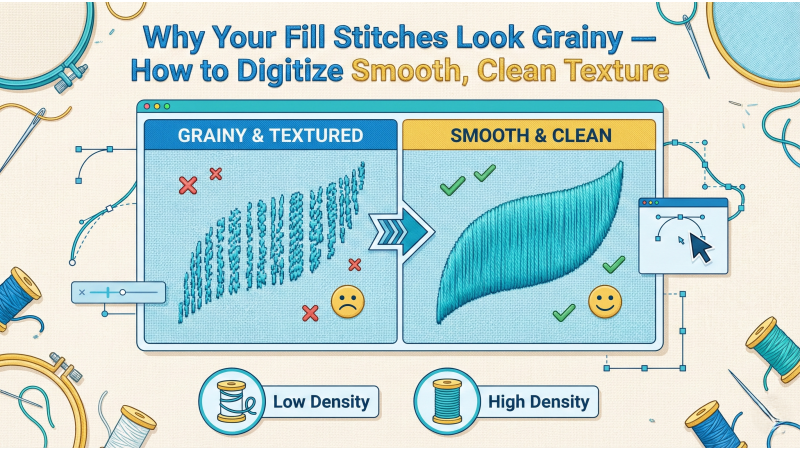
Grainy, rough, or uneven fill stitches can ruin the clean look of an embroidery design. Instead of producing a smooth, solid texture, the fill may appear broken, patchy, or overly textured. This usually indicates a digitizing issue, not a machine malfunction. In this guide, we break down the hidden causes behind grainy fill stitches and how to digitize smooth, consistent texture that looks professional on any fabric.
This tutorial is specially prepared for embroidery creators, digitizers, and beginners learning through platforms such as EmbDesignTube where clean, professionally digitized files are essential.
What Causes Grainy Fill Stitches?
Fill areas should look tight, uniform, and consistent. If you see a rough or grainy look, the most common causes are density, underlay, pull compensation, stitch angle, design conversion problems, or incompatible fabric stabilization.
1. Fill Density Too Low
A low density setting leaves visible gaps between stitches, making the fill look rough.
Fix:
- Increase density slightly until the object looks full but not overly heavy.
- A typical density for regular fills ranges between 0.35–0.45mm depending on fabric.
Digitizing guides such as the ones on Absolute Digitizing often recommend checking density first when the fill appears grainy.
2. Wrong Underlay Type or Insufficient Underlay
Without proper underlay, the top stitch layer has nothing to sit on. This causes breakup and uneven texture.
Fix:
- Use edge walk + zigzag underlay for smooth fills.
- Increase zigzag width for fabrics that distort easily.
Digitizers at Megridigitizing explain how underlay stabilizes the fill and prevents the “grainy” effect, especially on stretchy fabrics.
3. Incorrect Stitch Angle
Using the same angle across multiple shapes can expose gaps, especially on curves or wide objects.
Fix:
- Change the angle to smoothen flow.
- Break large objects into smaller sections for better stitch direction.
Many professionals emphasize multi-angle digitizing to avoid graininess.

4. Fabric Type Not Supported
Thin, stretchy, and high-pile fabrics absorb or distort fill stitches, causing patchy texture.
Fix:
- Use correct stabilizer combination.
- Apply topping on fleece or terry.
- Tighten hoop tension to avoid shifting.
5. Poor Quality Artwork Conversion or Auto-Digitizing
Auto-digitizing tools often generate uneven stitch directions, random density changes, and unnecessary splits that cause grainy fills.
Fix:
- Digitize fills manually whenever possible.
- Use clean vector artwork to avoid broken shapes.
Platforms like Eagle Digitizing highlight that grainy fills often occur in designs created quickly using auto-digitize tools.
6. Wrong Pull Compensation Settings
Too little pull compensation makes stitches fall short, leaving visible gaps.
Fix:
- Increase pull compensation slightly (0.15–0.25mm depending on material).
- Check final stitch-out to confirm smooth coverage.
7. Old Needle or Thick Thread
A worn needle causes inconsistent penetration, giving the fill a rough surface.
Fix:
- Replace needles every 6–8 hours of stitching.
- Use 40wt thread for clean fill texture.
8. Machine Speed Too High
High speed can distort the fill pattern and make the texture appear uneven.
Fix:
- Reduce speed by 10–20% to test improvement.
Professional Tips for Smoother Fill Texture
- Use high-quality digitizing software (Wilcom, Hatch, EmbroideryStudio).
- Rebuild shapes manually instead of cleaning up automatic fills.
- Test small samples before final stitching.
- Use light compensation settings on small fills to maintain clarity.
Why Smooth Digitizing Matters
Smooth fill stitches not only improve the aesthetic appearance but also reduce thread usage, shorten production time, and prevent maintenance problems caused by heavy buildup. For commercial digitizers and embroidery sellers, this is crucial for customers who expect premium design quality.
Design marketplaces such as EmbDesignTube maintain professional density and underlay standards to ensure clean texture in every file.
Conclusion
Grainy fill stitches are almost always the result of digitizing technique, not the embroidery machine. By controlling density, underlay, angle, pull compensation, fabric support, and stitch path, you can create smooth fill textures that look clean and professional across all embroidery machines.
Mastering these digitizing adjustments helps you deliver polished, high-quality designs whether you are stitching for personal use or commercial clients.
Leave a comment